

7 min read
Abandoned Cart Emails: A Three-Message Recovery Sequence for Small Online Shops
 Written byThomas FitzgeraldFounder, Your Digital Team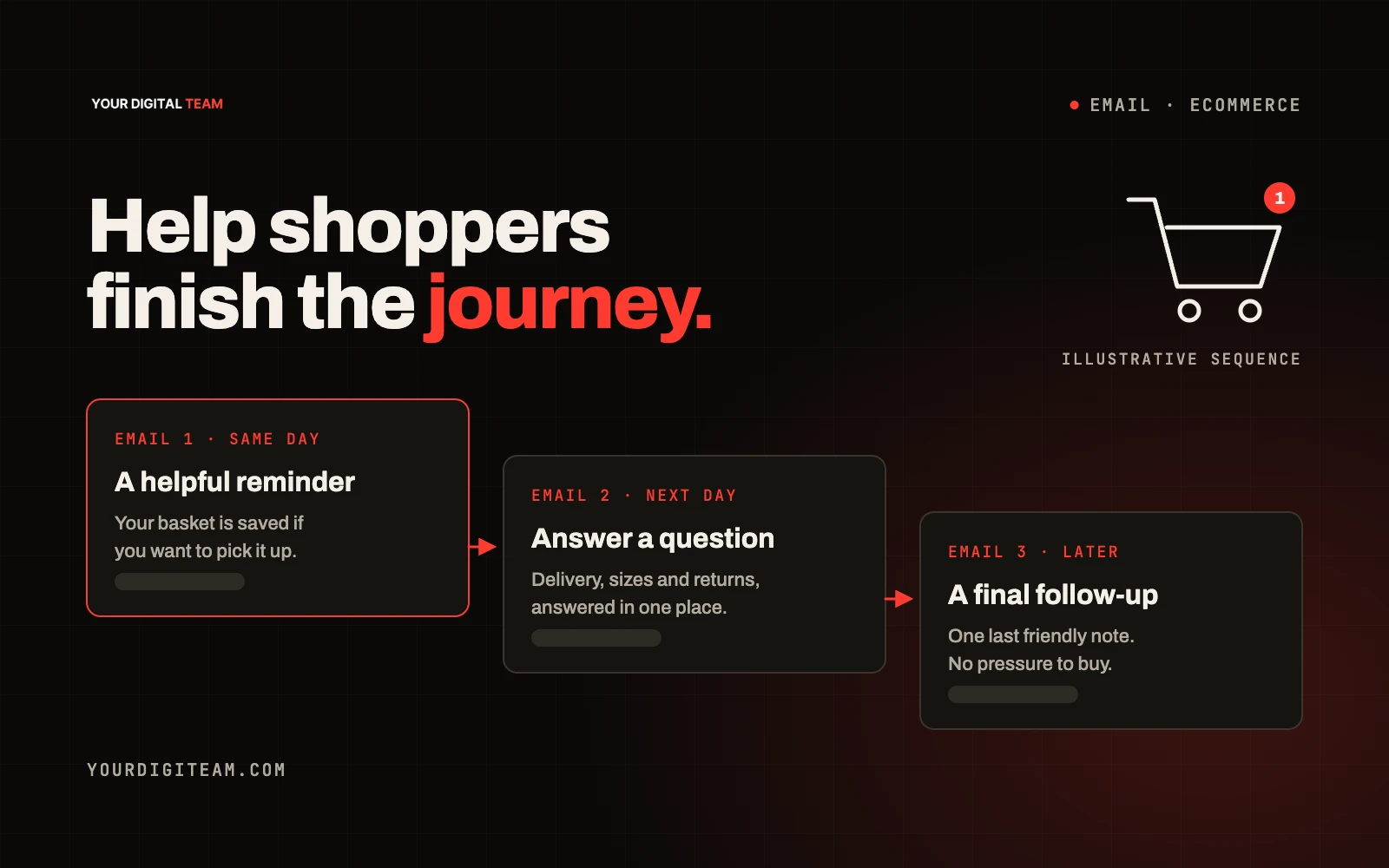
Email marketingPublished 5 Oct 2026
An abandoned cart email is an automated reminder sent to someone who added products to their basket, or started checkout, and left without buying. Done well, it's a helpful nudge: it reminds the shopper what they chose, answers the questions that might have stopped them and makes it easy to finish. Done badly, it feels pushy and trains customers to wait for a discount. Before sending any, you also need to be confident you're allowed to email that person under UK marketing rules.
This guide gives you an original three-message sequence, suggested timings, and the permission and measurement points to get right first.
Start with permission
In the UK, marketing emails to individuals fall under the Privacy and Electronic Communications Regulations (PECR). The ICO's guidance on direct marketing using electronic mail is the authoritative source. In summary:
- You generally need consent to send marketing emails to individuals.
- There's a limited exception, the "soft opt-in", which can apply where you collected someone's details in the course of a sale or negotiations for a sale, you're marketing your own similar products or services, and you gave them a clear chance to opt out when you collected their details and in every message.
- Every message must identify you and include a valid way to opt out, as set out in the ICO's compliance guidance.
Whether an abandoned basket or checkout counts as "negotiations for a sale" depends on the circumstances, including how the email address was collected and what the shopper was told. Many shops handle this by including a clear marketing opt-in or opt-out at the point the email address is entered and only sending reminders to people who meet the criteria. This article isn't legal advice. If you're unsure, check the ICO guidance and take advice before switching reminders on.
Who should receive abandoned cart emails
Only send to shoppers who:
- Entered their email address themselves during checkout or account creation
- Meet the permission requirements above
- Haven't unsubscribed
- Haven't since completed the purchase (make sure the automation stops as soon as they buy)
Exclude test orders, staff accounts and anyone who has already been sent the sequence recently.
The three-message sequence
The timings below are suggestions. Adjust them based on what you sell. A low-cost impulse item suits a quicker sequence than a considered purchase such as furniture.
| Suggested timing | Job | |
|---|---|---|
| 1. Reminder | 1–4 hours after abandonment | Remind and make it easy to return |
| 2. Reassurance | Around 24 hours later | Answer the likely objections |
| 3. Final nudge | 2–3 days after abandonment | Last reminder, optional incentive |
Start with no more than this suggested sequence, then adjust using your own purchase, unsubscribe and complaint data. More messages are not automatically more useful.
Email 1: The reminder
Subject: You left something in your basket Preview text: It's saved for you — pick up where you left off
Hi [First name],
Looks like you didn't quite finish checking out. No problem, we've saved your basket:
[Product image] [Product name] — [Size/colour] — £[price]
[Return to your basket]
Any questions about sizing, delivery or anything else? Just reply to this email and we'll help.
[Business name]
[Contact details] · [Unsubscribe]
Why it works: it's short, factual and helpful. The product image does most of the work.
Email 2: The reassurance
Subject: A few quick answers before you decide Preview text: Delivery, returns and more
Hi [First name],
Still thinking about [Product name]? Here's what people usually want to know:
- Delivery: [e.g. dispatched within 2 working days, UK delivery £X, free over £Y]
- Returns: [e.g. 30 days to return unused items]
- Payment: [e.g. card, PayPal, Apple Pay]
- Help: [e.g. reply to this email or call on number]
[Complete your order]
[Business name]
Why it works: many abandoned checkouts come down to uncertainty about delivery costs, returns or trust. Answering those directly is more useful than repeating "don't forget!"
Only include policies you actually offer, stated accurately. Marketing claims in emails are covered by the UK advertising rules in the CAP Code.
Email 3: The final nudge
Subject: One last reminder about your basket Preview text: One last reminder from us
Hi [First name],
Just a final reminder that your basket is still waiting:
[Product image] [Product name] — £[price]
[Complete your order]
If it's not for you this time, no problem. We won't send any more reminders about this basket.
[Business name]
If you use an expiry-based subject instead, only say the basket expires if it genuinely does. False urgency damages trust and can breach advertising rules.
Should you offer a discount?
It's a business decision, not a requirement. Consider:
- Margins: can you afford it on every recovered order?
- Customer habits: regular discounts can teach customers to abandon on purpose
- Alternatives: free delivery, a small gift with order or simply clearer information may work instead
If you do use a discount, keep it for the last email and consider limiting it to first-time customers.
Practical setup checklist
- [ ] Permission basis confirmed for the people receiving reminders
- [ ] Opt-out included in every message and working
- [ ] Automation stops when an order is placed
- [ ] Products, prices and images pulled correctly from the basket
- [ ] Links go back to a pre-filled basket, not the homepage
- [ ] Emails display properly on mobile
- [ ] Tested end to end with a real basket
- [ ] Delivery and returns details match your actual policies
Most e-commerce platforms, including Shopify, have built-in abandoned checkout automations. Check exactly what yours tracks: some only trigger once a shopper reaches checkout and enters their email, not when they simply add to basket.
If you send large volumes, Gmail's email sender guidelines also set requirements such as authentication and one-click unsubscribe for bulk senders.
How to measure it honestly
Most platforms report "recovered revenue" from abandoned cart emails. Treat that figure with some care: some of those shoppers would have come back anyway. Useful measures include:
- Recovered orders and revenue, as reported by your platform
- Click rate on each email
- Unsubscribe rate after each email
- Discount cost if you use one
- Complaints or negative replies
For a fairer picture, some shops hold back a small group from receiving reminders and compare purchase rates. That's worth doing once you have enough volume.
Frequently asked questions
Can I send abandoned cart emails without consent? It depends on whether the soft opt-in applies to how you collected the address and what you told the shopper. Check the ICO guidance and take advice if you're unsure.
How many abandoned cart emails should I send? Two or three is enough for most small shops.
Should the first email include a discount? Usually not. A simple reminder often does the job, and early discounts reduce your margin on orders that might have happened anyway.
What if the product sells out? Make sure your automation checks stock, or include a line suggesting similar products.
Want help setting it up?
We plan and build email automations, including abandoned cart sequences, as part of our email marketing service. For budgeting, see how much email marketing costs. If you're still choosing a shop platform, our Squarespace vs Shopify guide compares the options. Get in touch to talk it through.