8 min read
WordPress vs Squarespace: which is right for your small business?
 Written byThomas FitzgeraldFounder, Your Digital Team

WebsitesPublished
WordPress vs Squarespace comes down to one trade-off: WordPress gives you almost unlimited flexibility in exchange for more upkeep, while Squarespace gives you a tidy, managed site in exchange for working inside its limits. For most UK small businesses that want a professional site that brings in enquiries, either can do the job. The right pick depends on who will look after the site, how much it needs to do, and what your budget really looks like over three years, not just month one.
We should be upfront: Your Digital Team builds on Squarespace and on custom code, so we have a view. We have tried to keep this fair, and there are plenty of businesses we would point towards WordPress.
The quick answer
- Pick Squarespace if you want a good-looking brochure site, a small shop or a booking-led site that you can edit yourself without worrying about updates, plugins or security patches.
- Pick WordPress if you need unusual functionality, a very large content site, a big product catalogue with complex rules, or full control over your code and hosting, and you have someone (in-house or an agency) to maintain it.
First, which WordPress?
There are two versions, and it causes a lot of confusion. WordPress.org is free, open-source software that you install on hosting you pay for separately. WordPress.com is a hosted service run by Automattic with its own paid plans. When people compare WordPress with Squarespace, they usually mean the self-hosted WordPress.org version, so that is what this article covers.
It is also worth knowing the scale. According to W3Techs, WordPress powers 39.6% of all websites, while Squarespace runs on 2.4%. That size is why WordPress has such a huge ecosystem, and also why it is the most targeted platform by hackers.
WordPress vs Squarespace cost
Squarespace is one monthly or annual fee that covers hosting, security certificates, templates and support. Squarespace's own pricing page currently lists four plans: Basic, Core, Plus and Advanced. Startups.co.uk reports the UK prices on annual billing as £12, £17, £29 and £79 per month, with monthly billing higher. Prices change and can differ by account, so check the live checkout before you commit.
WordPress software is free, but running a site is not. You pay for hosting, a premium theme or page builder, paid plugins for things like forms, backups and security, and someone's time to keep it all updated.
| Cost item | Squarespace | WordPress (self-hosted) |
|---|---|---|
| Platform fee | Included in plan (approx. £12 to £79/month on annual billing, per Startups.co.uk) | Free software |
| Hosting | Included | Separate, roughly £5 to £40/month depending on quality (illustrative) |
| SSL certificate | Included | Often included with hosting, sometimes extra |
| Theme | Templates included | Free or premium, typically £0 to £80 one-off (illustrative) |
| Plugins | Not needed for most features | £0 to £300+/year for premium plugins (illustrative) |
| Maintenance and updates | Handled by Squarespace | Your time or a maintenance plan |
| Ecommerce transaction fees | 2% on Basic, 0% on Core and above for product sales (per Startups.co.uk), plus card processing | No platform fee with WooCommerce, card processing still applies |
The headline monthly fee makes WordPress look cheaper. Once you add decent hosting, a couple of premium plugins and someone keeping it patched, the gap often closes or flips. We break down typical upkeep costs in our guide to website maintenance costs in the UK, and if you are budgeting for the build itself, see how much a website costs in the UK.
Ease of use
Squarespace is built for people who are not developers. You edit pages visually, drag sections around, and what you see is what visitors get. Most owners can update text, swap images, add a blog post or change opening hours without help.
WordPress has a steeper learning curve. The default block editor is reasonable, but many sites are built with a page builder or a custom theme, and each one behaves differently. If your developer leaves, the next person may need time to work out how your particular setup fits together.
That said, a well-built WordPress site can be easy for day-to-day changes. The difficulty shows up when something breaks.
Maintenance and security
This is where the two platforms differ most.
On Squarespace, the platform handles hosting, software updates, SSL and server security. You cannot install third-party plugins, which limits what you can add, but it also removes the biggest source of trouble on WordPress.
On WordPress, you are responsible for updates to the core software, your theme and every plugin. Patchstack's State of WordPress Security in 2026 report found 11,334 new vulnerabilities in the WordPress ecosystem during 2025, a 42% rise on the year before. 91% were in plugins and 9% in themes, with only 6 in WordPress core itself. Patchstack also found 46% of those vulnerabilities had no fix from the developer at the point they were made public.
None of that means WordPress is unsafe. Core WordPress is well looked after. It means a WordPress site is only as secure as its least maintained plugin, so it needs regular updates, backups and monitoring. If nobody will do that, Squarespace is the lower risk choice.
Is Squarespace good for SEO?
Yes, for the vast majority of small business sites. Squarespace's own SEO checklist covers the essentials: clean indexing, SSL, custom page titles and meta descriptions, editable URL slugs, URL redirects, image alt text and a built-in report that flags missing descriptions. Google's SEO Starter Guide notes that if you use a CMS, you might not need to do anything technical to your titles beyond writing good ones.
Google does not reward a platform. It rewards useful pages that load well, are clearly structured and answer what people search for. A Squarespace site with strong local pages and good content will outrank a neglected WordPress site every time.
Where WordPress has the edge is fine control. Plugins and custom code let you edit almost anything, from schema markup templates to how category archives are indexed. On very large sites, or sites with complex technical SEO needs, that matters. On a 10 to 30 page service business site, it rarely does. If rankings are the main goal, the platform is a smaller factor than the content and local signals you build on top of it.
Flexibility and custom features
WordPress wins on raw flexibility. The WordPress.org plugin directory lists over 76,000 free plugins, and a developer can build almost anything on top of it: membership areas, directories, custom calculators, complex integrations with your CRM or booking software.
Squarespace is more contained. You get its built-in features (forms, blogs, scheduling, member areas, ecommerce) plus code blocks and code injection for custom HTML, CSS and JavaScript. In practice, a skilled developer can push Squarespace much further than most people expect. A lot of our web development work is exactly that: custom-coded sections and pages inside Squarespace, so clients keep the easy editor and managed hosting without the site looking like a template.
The limit is server-side functionality. If you need custom databases, heavy integrations or logic that runs on the server, WordPress or a fully custom build is the better fit.
Ecommerce
Squarespace has ecommerce built in, covering physical products, digital products, services and subscriptions depending on plan. It suits shops with a modest catalogue that want selling to sit neatly alongside the rest of the site.
On WordPress, ecommerce usually means WooCommerce, which is free and open source with no monthly platform fee. It is extremely flexible, but larger stores need good hosting, extra extensions for shipping, tax or subscriptions, and careful maintenance.
If selling online is the main purpose of the site, it is worth looking beyond both. We compare the two most common choices for small shops in Squarespace vs Shopify.
Squarespace or WordPress for small business: who should pick which
Squarespace is usually the better fit for:
- Trades, consultants, salons, gyms, clinics and other local service businesses
- Owners who want to make their own edits without calling a developer
- Businesses without anyone to handle updates, backups and security
- Small shops and booking-led businesses with straightforward needs
WordPress is usually the better fit for:
- Publishers and content-heavy sites with hundreds or thousands of pages
- Businesses needing custom functionality that relies on plugins or server-side code
- Large or complex WooCommerce stores
- Organisations with an in-house developer or an ongoing maintenance contract
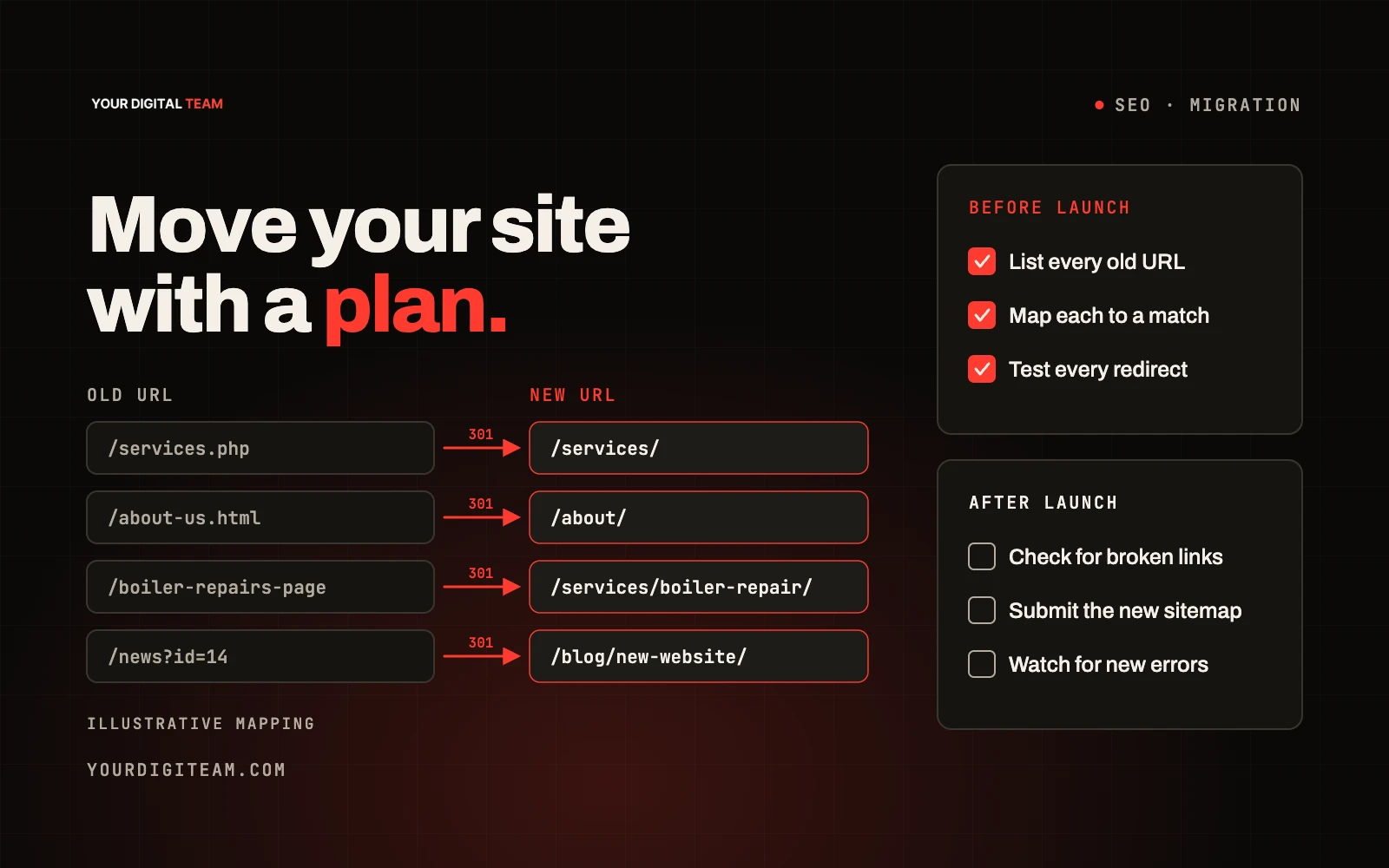
If you are already on one platform and thinking of switching, plan it properly. Changing platform changes your URLs, templates and often your page structure, and a careless move can cost you rankings. Our website migration checklist walks through redirects, metadata and testing step by step.
Frequently asked questions
Is Squarespace better than WordPress for a small business?
For most small service businesses, Squarespace is the simpler option because hosting, security and updates are handled for you and you can edit it yourself. WordPress is better when you need custom functionality, a very large site or full control over code and hosting.
Is Squarespace good for SEO?
Yes. Squarespace includes the core SEO tools most businesses need, including custom titles and meta descriptions, editable URLs, redirects, SSL and alt text. Rankings depend far more on your content, page structure and local signals than on the platform. WordPress offers finer technical control, which mainly matters for large or complex sites.
Which is cheaper, WordPress or Squarespace?
WordPress software is free, but you pay separately for hosting, premium themes, plugins and maintenance. Squarespace bundles hosting, security and templates into one plan fee. Once maintenance time is included, the total cost over a few years is often similar, and Squarespace can work out cheaper for sites without a developer on hand.
Can I move from WordPress to Squarespace?
Yes, but expect to rebuild pages and layouts rather than copy them across. The most important step is setting up 301 redirects from every old URL to its new equivalent so you keep your search visibility.
Is WordPress more secure than Squarespace?
Squarespace manages security for you, so there is less for an owner to get wrong. WordPress core is well maintained, but most WordPress vulnerabilities are found in third-party plugins and themes, so a WordPress site needs regular updates and monitoring to stay secure.
Not sure which platform suits your business?
We are happy to give you a straight answer, even if that answer is WordPress. Have a look at how we work as a Squarespace designer in the North East, or get in touch and tell us what your site needs to do.
Sources
- Squarespace: Pricing
- Startups.co.uk: Squarespace pricing 2026
- W3Techs: Usage statistics of content management systems
- Patchstack: State of WordPress Security in 2026
- WordPress.org: Plugin directory
- Squarespace Help Center: SEO checklist
- Google Search Central: SEO Starter Guide
- WooCommerce: About WooCommerce
Thomas founded Your Digital Team to help businesses connect SEO, paid media, content and web development to measurable growth.
Meet Your Digital Team