6 min read
How Much Does Website Maintenance Cost in the UK?
 Written byThomas FitzgeraldFounder, Your Digital Team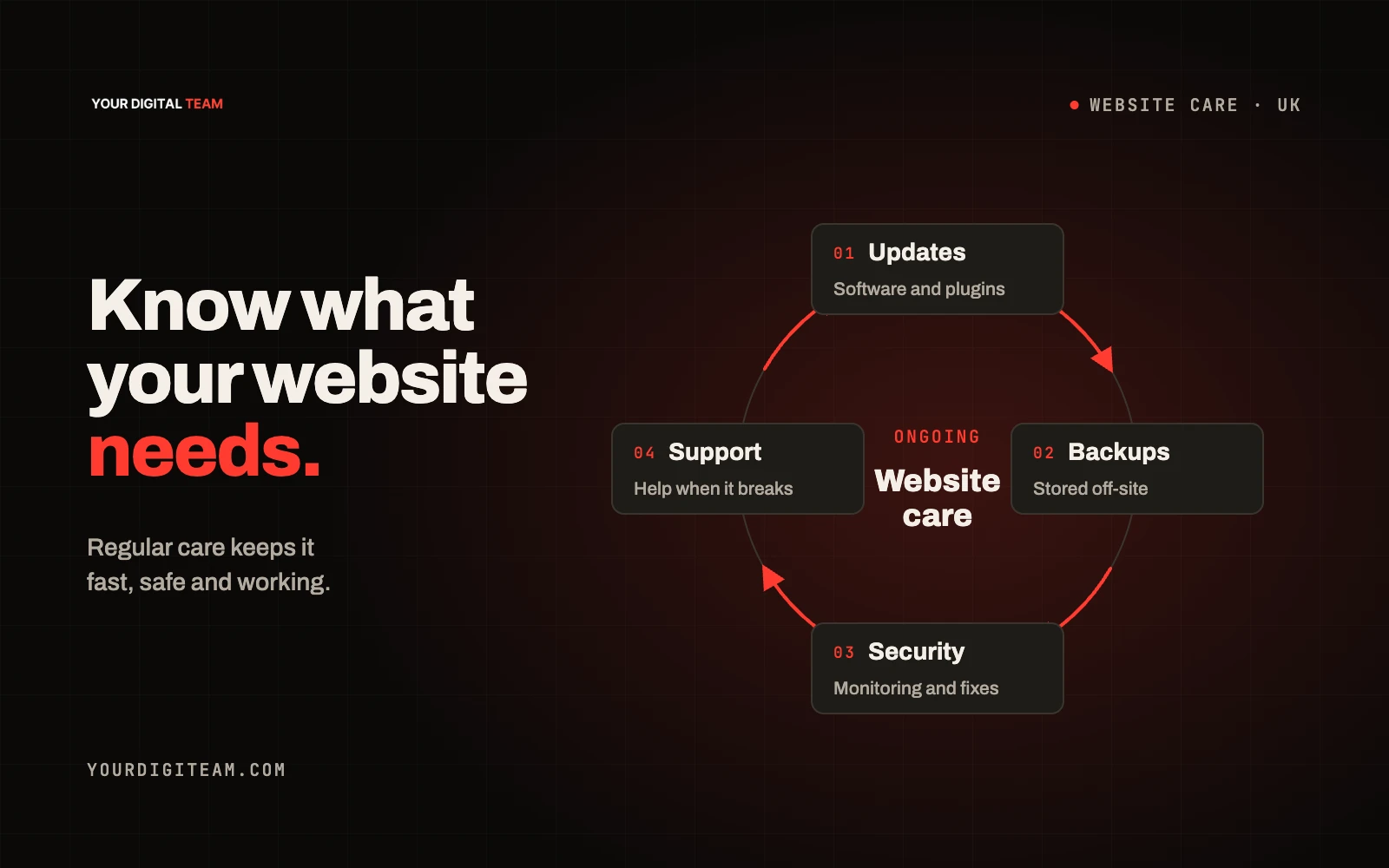
WebsitesPublished 30 Sep 2026
Website maintenance is the ongoing work that keeps a site secure, working and up to date after launch: renewals, software updates, backups, security checks, fixing things that break and making small content changes. What it costs depends mainly on the platform your site runs on and how much of the work you do yourself. A site on a hosted platform with a few pages needs far less than a self-hosted site with plugins, an online shop and integrations.
This guide covers what maintenance actually involves, how to budget for it and how to decide what to keep in-house. It is about ongoing costs, not the initial build; for that, see how much a website costs in the UK.
What website maintenance actually includes
Break it into categories so you can see what you're paying for.
Fixed running costs
These exist whether or not anyone touches the site:
- Domain renewal: usually yearly
- Platform subscription or hosting: monthly or yearly
- Paid apps, plugins or extensions: often monthly or yearly subscriptions
- Business email: if it runs through a separate provider
- Third-party tools: booking systems, form tools, review widgets
Technical upkeep
- Software updates. On self-hosted platforms, the core software, themes and plugins need updating. The UK National Cyber Security Centre recommends keeping software up to date because updates often fix security weaknesses.
- Backups. The NCSC also advises taking regular backups and checking you can restore them. A backup you have never tested is a hope, not a plan.
- Security monitoring: watching for suspicious logins, malware or unexpected changes.
- Uptime and speed checks: knowing when the site is down or slow.
- Fixing breakages: forms that stop sending, layouts that break after an update, expired integrations.
Content and housekeeping
- Updating prices, services, team members and opening hours
- Adding photos, projects and news
- Checking links still work
- Reviewing legal pages such as the privacy notice when things change
Periodic reviews
- Checking accessibility and mobile usability, as covered in our guide to making your website mobile friendly
- Reviewing analytics and search performance
- Checking forms, checkouts and calls-to-action still work
Why the platform matters so much
The biggest single factor in maintenance cost is the platform.
Hosted platforms (such as Squarespace, Shopify and Wix) handle core software updates, security patching of the platform and hosting for you as part of the subscription. You still need to manage content, apps you add, and your own accounts, but there's much less technical upkeep.
Self-hosted platforms (such as WordPress on your own hosting) give more flexibility but make you responsible for updates, backups, security and hosting. That's where most maintenance time goes.
Neither is right for everyone. The point is to know which one you have, so you can budget for the right kind of work.
How to budget: an illustrative framework
The categories below are illustrative examples to help you plan. They are not market rates, quotes or Your Digital Team prices. Your actual costs will depend on your platform, suppliers and how much you do yourself.
| Site type (illustrative) | Main ongoing costs | Typical time needed |
|---|---|---|
| Small brochure site on a hosted platform | Subscription, domain, occasional content edits | A small amount each month, more when services change |
| Small business site on self-hosted software | Hosting, domain, plugin licences, updates, backups, monitoring | Regular monthly attention for updates and checks |
| Online shop | Platform or hosting, payment and shipping apps, product updates, checkout testing | Weekly or more, depending on catalogue size |
| Site with bookings or integrations | All of the above plus integration subscriptions and testing | Regular testing whenever connected tools change |
A worked budget (hypothetical, not a market quote)
Suppose a business enters £24 a month for its platform, £18 a year for its domain and £60 a month for agreed support. Its cash budget is £24 + (£18 ÷ 12) + £60 = £85.50 a month, before other tools, any applicable VAT and unexpected work. Two hours of the owner's time valued at £25 an hour would add £50 to its internal cost assessment, making £135.50 overall. These are invented inputs to demonstrate the calculation, not supplier prices or recommended rates. Replace every input with your own bills, quotes and time estimate.
Build your own maintenance budget
- List every subscription connected to your site, with its renewal date and cost.
- Decide what you'll do in-house and estimate the hours per month.
- Put a value on those hours. Your time isn't free.
- Get quotes for anything you won't do yourself, based on a written list of tasks.
- Add a contingency for things that break unexpectedly.
What to ask a maintenance provider
If you pay someone else, make sure you know exactly what's covered:
- Which updates are included, and how often are they applied?
- How often are backups taken, where are they stored and when were they last tested?
- What happens if the site goes down, and how quickly will someone respond?
- How many content changes are included each month, and what happens if you need more?
- Is anything excluded, such as third-party app problems or redesign work?
- Will you have full admin access to every account?
- What happens to your site and data if you end the arrangement?
Get the answers in writing. A cheap plan with vague terms can cost more than a clear one.
What you can reasonably do yourself
On a hosted platform, many owners can handle:
- Text and image changes
- Adding blog posts or projects
- Updating opening hours and prices
- Checking forms monthly by sending a test enquiry
On a self-hosted site, applying updates yourself is possible, but only if you take and test backups first and know how to roll back if something breaks.
Signs maintenance alone isn't enough
Sometimes you're paying to prop up a site that needs replacing. Warning signs include regular breakages after updates, plugins that are no longer supported, a design that doesn't work well on mobile, or content that's hard to edit without help. Our guide to signs your website needs a redesign covers when to stop patching.
Frequently asked questions
Do I need to pay for website maintenance? You need maintenance to happen. Whether you pay for it or do it yourself depends on your platform, skills and time.
Is maintenance included in my platform subscription? Hosted platforms usually include platform-level updates, security and hosting. Your content, added apps and account management are still your responsibility.
How often should I back up my website? It depends on how often it changes. A shop taking daily orders needs more frequent backups than a brochure site updated monthly. Whatever the schedule, test a restore occasionally.
What happens if I stop paying for maintenance? On a hosted platform, the site keeps running as long as the subscription is paid. On a self-hosted site, missed updates increase security risk over time.
Want a straight answer on your site?
If you're not sure what your site needs or whether you're paying for the right things, we can review it and tell you plainly. See our web development service or get in touch.
Sources
- National Cyber Security Centre — Backing up your data
- National Cyber Security Centre — Keeping devices and software up to date
- Nominet — Registrar renewals procedure